
If a project registration has been depreciated, users should find them on this page.
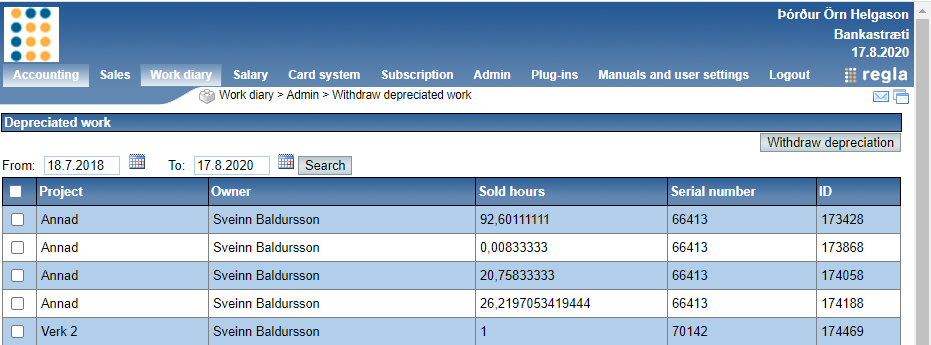
On this page you should find a list of all depreciated projects, there is an option to filter them out by choosing a period by dates.
In order to withdraw the depreciation you must find the project and check the box of the project which is located in the first column, finally click the button Withdraw depreciation.
You can withdraw multiple depreciation's with one action by marking multiple check boxes.
Comments
0 comments